Building a network-native ham station (part 2): components and setup
03 Jul 2026This is the practical part of the hamtools story, a tour of the three components, what each does and how to install and configure it. A third post then digs into the two pieces I’m proudest of. Everything is GPL-3.0, and every component talks over IP, so “local” and “remote” are the same setup with different addresses.
Components
The shape of it: cwsd sits next to the radio and puts it on the network; xlog2 (and its mobile sibling) drive it from wherever you happen to be.
flowchart LR
    rig["transceiver<br/>(e.g. IC-7300)"]
    cwsd["cwsd<br/>(rig host)"]
    subgraph clients["your operating machines"]
      xlog2["xlog2<br/>desktop — GTK / Qt"]
      android["xlog2-android<br/>phone"]
    end
    rig <-->|"USB · CAT, keying, audio"| cwsd
    cwsd <-->|"IP · rigctld, cwdaemon, remote_key, Opus"| xlog2
    cwsd <-->|"IP"| android
cwsd
cwsd is the piece that lives next to the radio. It links hamlib for CAT control and turns a single USB-connected transceiver (developed against the Icom IC-7300) into a set of independent, individually-toggled network services, each on its own port:
| Service | Port | Default | Purpose |
|---|---|---|---|
rigctld | TCP 4532 | on | hamlib rigctld protocol — query/set frequency, mode, PTT, VFO (WSJT-X, fldigi, xlog2, …) |
cwdaemon | UDP 6789 | on | receive text and key it as Morse (DTR = key, RTS = PTT) |
audio stream | UDP 7355 | off | capture rig RX audio, Opus-encode, fan out to subscribers |
remote key | UDP 6790 | off | replay timestamped paddle edges — real keying over the internet |
Because the first two speak the standard rigctld and cwdaemon protocols, cwsd is useful well beyond this stack: point WSJT-X or fldigi at RIGHOST:4532 and you’re controlling a rig on another machine.
cwdaemonandremote_keyboth drive the same DTR/RTS control lines, so if you enable both on a given serial device, try not to send a CW macro while using remote keying — or vice versa. They’re alternative keying front-ends which should not be used at the same time.
INSTALL
On current Ubuntu releases it’s a package on my PPA — no compiling:
sudo add-apt-repository ppa:benishor/hamtools
sudo apt update
sudo apt install cwsd
That drops in the binary, a systemd service unit and a sample config.
If you are using other distributions or Raspberry Pi OS, you can grab a self-contained static x86_64/arm64 binary from the releases page.
If you want to build from sources, you need CMake ≥ 3.25, a C++20 compiler and the hamlib/ALSA/Opus development libraries:
sudo apt install libhamlib-dev libasound2-dev libopus-dev cmake build-essential
git clone https://github.com/yo6ssw/cwsd.git
cd cwsd
cmake -S . -B build -DCMAKE_BUILD_TYPE=Release
cmake --build build -j
sudo cmake --install build
One scar worth passing on: hamlib breaks its ABI within the 4.x series while keeping the
libhamlib.so.4soname, so after any hamlib upgrade you must rebuild cwsd. Otherwise the old binary keeps linking and running — audio still streams — but therigctldservice silently returns nothing to every command and CAT clients just time out. “It still runs” is not proof it works.
CONFIGURE
Despite the rc name, the config is YAML. From the PPA the service reads a system config at /etc/cwsd/cwsdrc, so copy the shipped sample and edit it:
sudo cp /etc/cwsd/cwsdrc.sample /etc/cwsd/cwsdrc
sudo editor /etc/cwsd/cwsdrc     # set rig.port and rig.model
Each service has its own enabled flag and port; rig.model is the hamlib model number (3073 = IC-7300) and rig.port is the serial device:
rig:
  port: /dev/icom7300      # stable udev symlink to the rig's serial device
  model: 3073              # hamlib rig model number (3073 = IC-7300)
cwdaemon:
  enabled: true
  port: 6789
  initial_wpm: 40
rigctld:
  enabled: true
  port: 4532
audio:
  enabled: false
  device: pipewire         # RX via PipeWire, shared with WSJT-X (or plughw:0,0 for the raw card)
  port: 7355               # clients subscribe by sending a datagram here
  sample_rate: 8000        # Opus rates only: 8000/12000/16000/24000/48000
remote_key:
  enabled: false
  port: 6790
  playout_ms: 150          # jitter-buffer depth; the rig lags the operator by this much
The package installs a cwsd.service unit but deliberately doesn’t enable or start it. Nothing runs until you’ve written the config above and then:
sudo systemctl enable --now cwsd
journalctl -u cwsd -f             # follow the logs
The service runs as an unprivileged, transient DynamicUser (no root, no login account) that’s added to the dialout and audio groups so it can reach the rig’s serial line and sound card, and granted just enough real-time capability for the keyer thread.
The package also ships a udev rule that gives the rig a stable /dev/icom7300 symlink, so the config doesn’t depend on USB enumeration order. If you have a different rig, you can follow the shipped example and create your own.
For a quick manual run instead, handy while testing, just launch it in the foreground with cwsd (or cwsd -d to daemonize). Run that way, with no --config, it falls back to a per-user ~/.config/cwsdrc; the systemd unit passes --config /etc/cwsd/cwsdrc explicitly.
The whole install, start to finish, recorded as an asciinema session:
xlog2
xlog2 is the logger and the operator console, a desktop amateur-radio logging program (a modern clone of xlog, in C++20), built as a toolkit-neutral core with two interchangeable frontends: xlog2-gtk (GTK 4) and xlog2-qt (Qt 6).
Both read and write the same .xlog SQLite logbooks and the same settings, so you can switch between them freely. On its own it handles the usual logging chores, live dupe detection, frequency→band, ADIF import/export, per-band/mode stats, DXCC from cty.dat, QRZ.com prefill, LoTW upload/confirmation via tqsl.
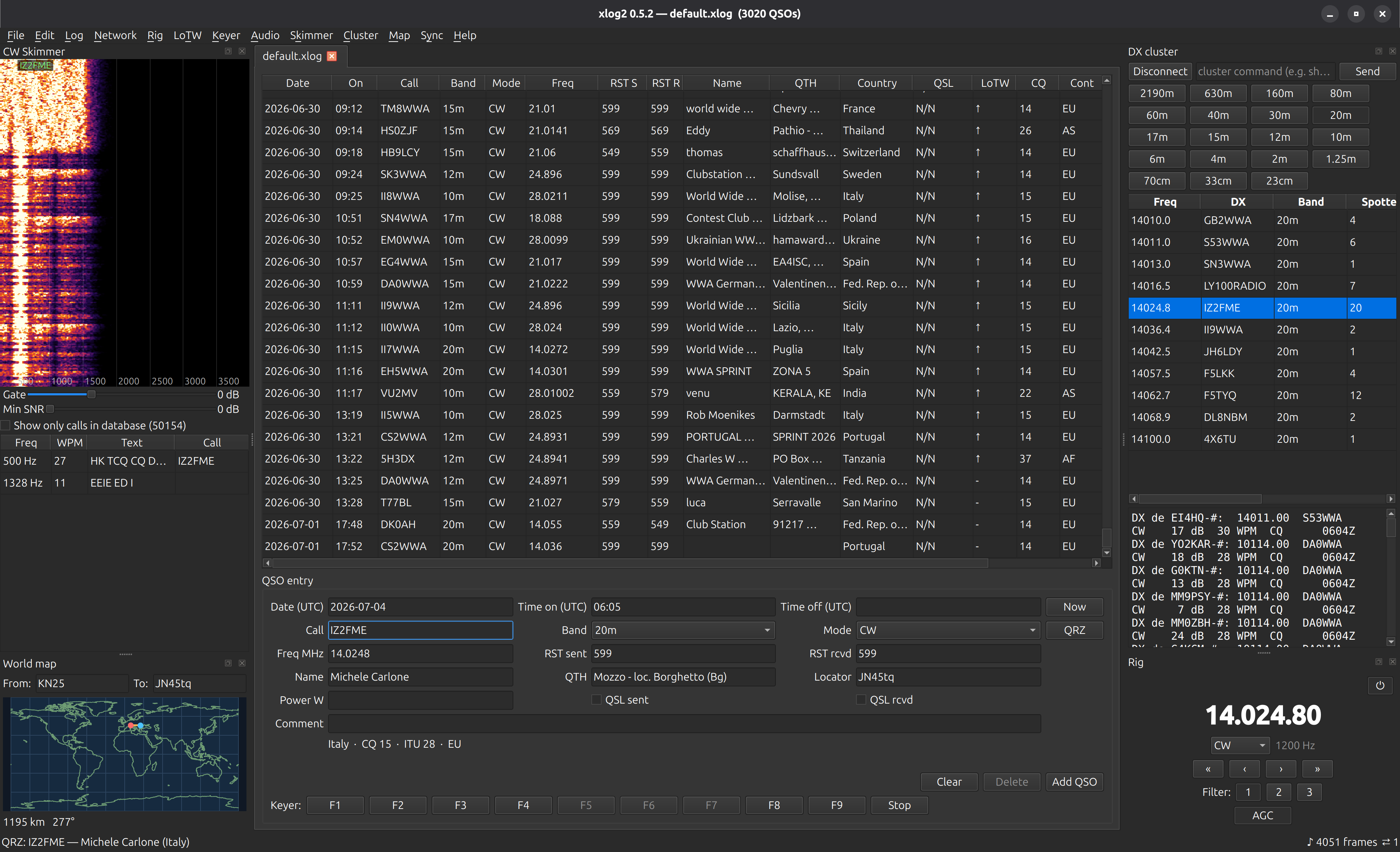
Point it at a running cwsd and it also becomes the station’s control surface:
| Talks to | Via | For |
|---|---|---|
| cwsd / rig | rigctld TCP 4532 | CAT — frequency, mode, PTT, band switching |
| cwsd | cwdaemon UDP 6789 | send CW — F1–F9 macros and typed text |
| cwsd | remote_key UDP 6790 | real paddle keying over the network |
| cwsd | Opus UDP 7355 | RX audio playback + the CW Skimmer decoder |
| other xlog2 nodes | multimaster mesh | peer-to-peer logbook sync |
| QRZ.com · LoTW · DX-cluster | HTTPS · tqsl · telnet | lookups, confirmations, spots |
INSTALL
Same PPA as cwsd, pick a frontend:
sudo add-apt-repository ppa:benishor/hamtools
sudo apt update
sudo apt install xlog2-qt        # Qt 6 frontend (or: xlog2-gtk for GTK 4)
Optional extras: xlog2-data (world-map coastline) and xlog2-syncd (the headless sync peer — more below).
For Debian, Raspberry Pi OS or anything non-Ubuntu, grab the self-contained Qt AppImage from the releases. It bundles Qt 6, so it doesn’t need a recent system GTK. LoTW still needs tqsl on the host.
If you want to build from source you need a C++20 compiler, CMake ≥ 3.16, and gtkmm-4 and/or Qt 6 plus the SQLite/Hamlib/libcurl/Opus/PipeWire/D-Bus/libsodium dev packages:
sudo apt install build-essential cmake pkg-config \
    libgtkmm-4.0-dev qt6-base-dev \
    libsqlite3-dev libhamlib-dev libcurl4-openssl-dev \
    libopus-dev libasound2-dev libpipewire-0.3-dev libdbus-1-dev \
    libsodium-dev
sudo apt install tqsl                 # runtime only, for LoTW upload
git clone --recurse-submodules https://github.com/yo6ssw/xlog2.git
cd xlog2
cmake -S . -B build && cmake --build build -j     # builds both frontends
Clone with --recurse-submodules so it pulls in multimaster, the mesh library dependency.
You can build just one frontend with -DXLOG_BUILD_GTK=OFF or -DXLOG_BUILD_QT=OFF. The binaries land at build/xlog2-gtk and build/xlog2-qt.
CONFIGURE
Unlike cwsd, xlog2 is configured from its in-app Settings dialog rather than a hand-edited file and the settings are persisted in a plain INI at ~/.config/xlog2/layout.ini.
Your data (the default.xlog logbook, plus optional cty.dat for DXCC and master.scp for the skimmer) lives under ~/.local/share/xlog2/.
The settings worth knowing:
- Station — your callsign and Maidenhead locator.
- Rig/CW/audio — the cwsd host, so CAT (4532), CW keying (cwdaemon 6789), paddle keying (remote_key 6790) and the RX Opus stream (7355) all point at the box by your radio.
- Lookups — QRZ.com credentials; drop
cty.datandmaster.scpinto the data dir. - Sync — the one knob that matters: set the same shared secret on every node and they form one encrypted, self-discovering mesh. In
layout.inithat’s:
[sync]
secret = a-high-entropy-shared-secret     # identical on every node
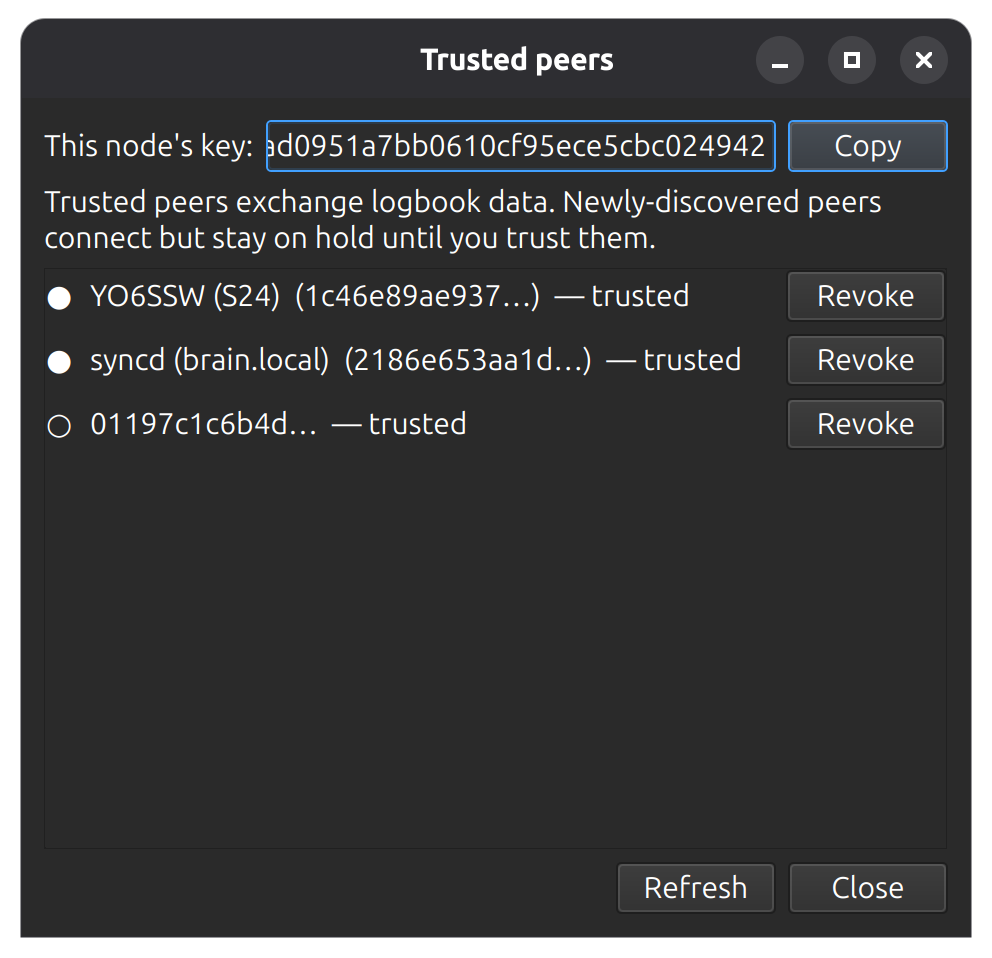
For an always-on backup that keeps the logbook merged even when your machines are asleep, you can make use of xlog-syncd.
Install it with sudo apt install xlog2-syncd, set the same [sync] secret, then start it with systemctl --user enable --now xlog2-syncd (with sudo loginctl enable-linger "$USER" so it survives logout and runs at boot).
Inspect logs with journalctl --user -u xlog2-syncd -f.
ANDROID
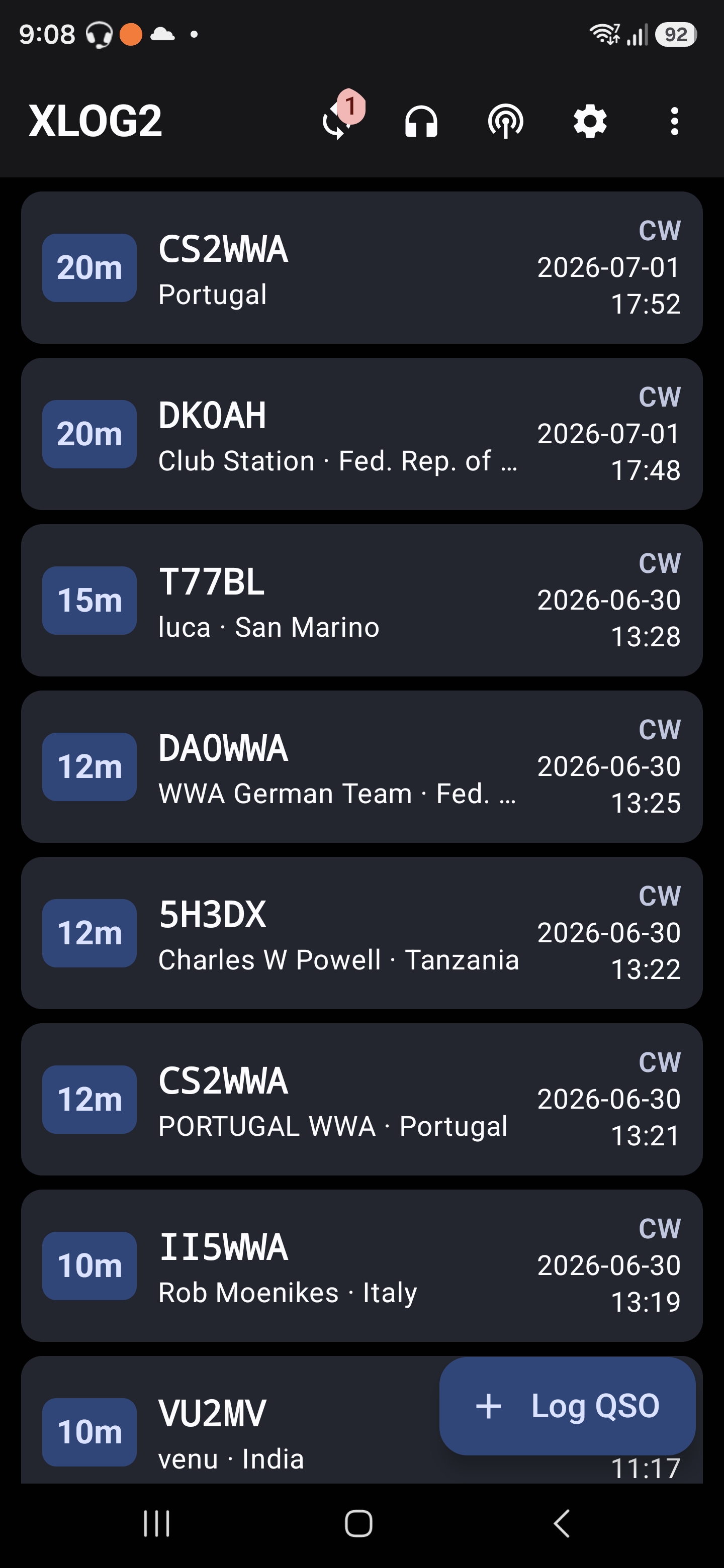
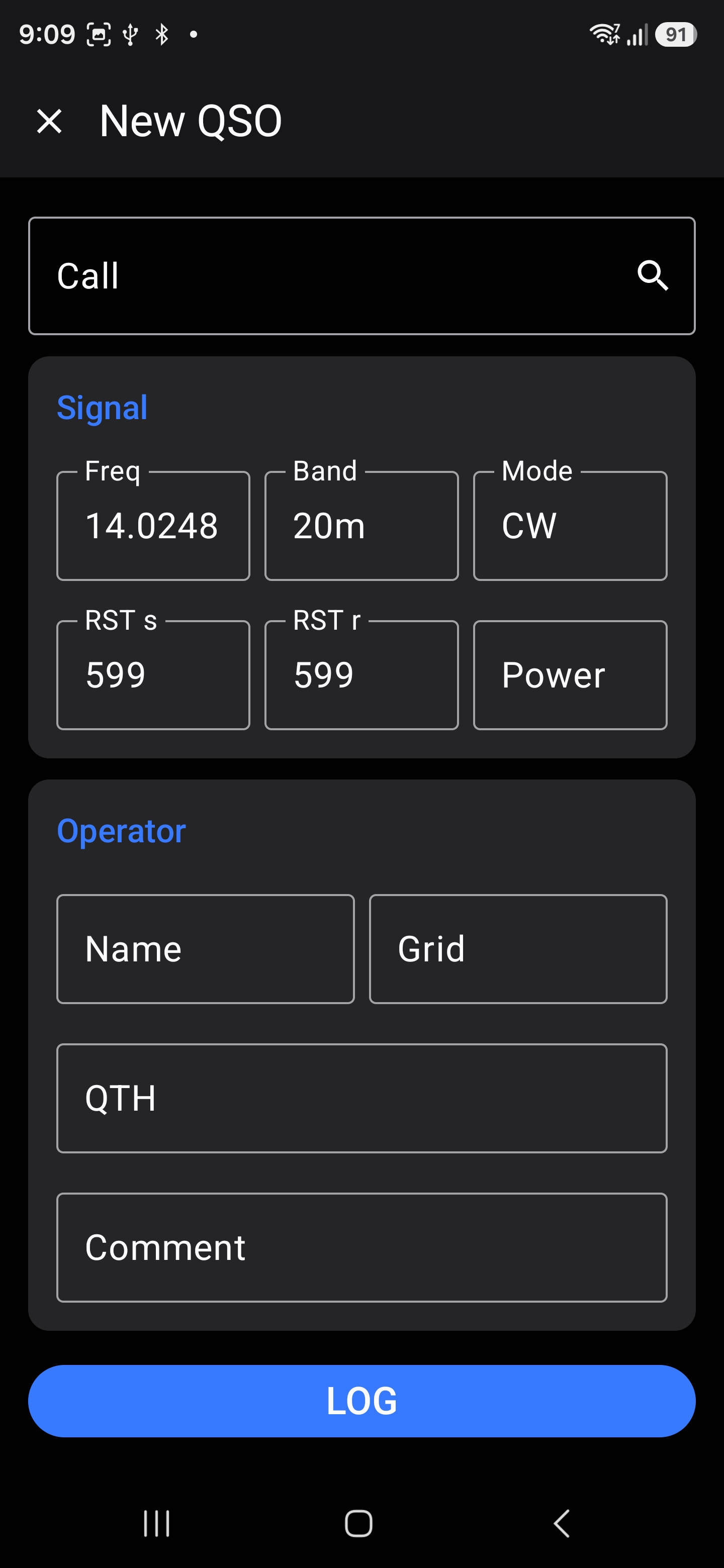
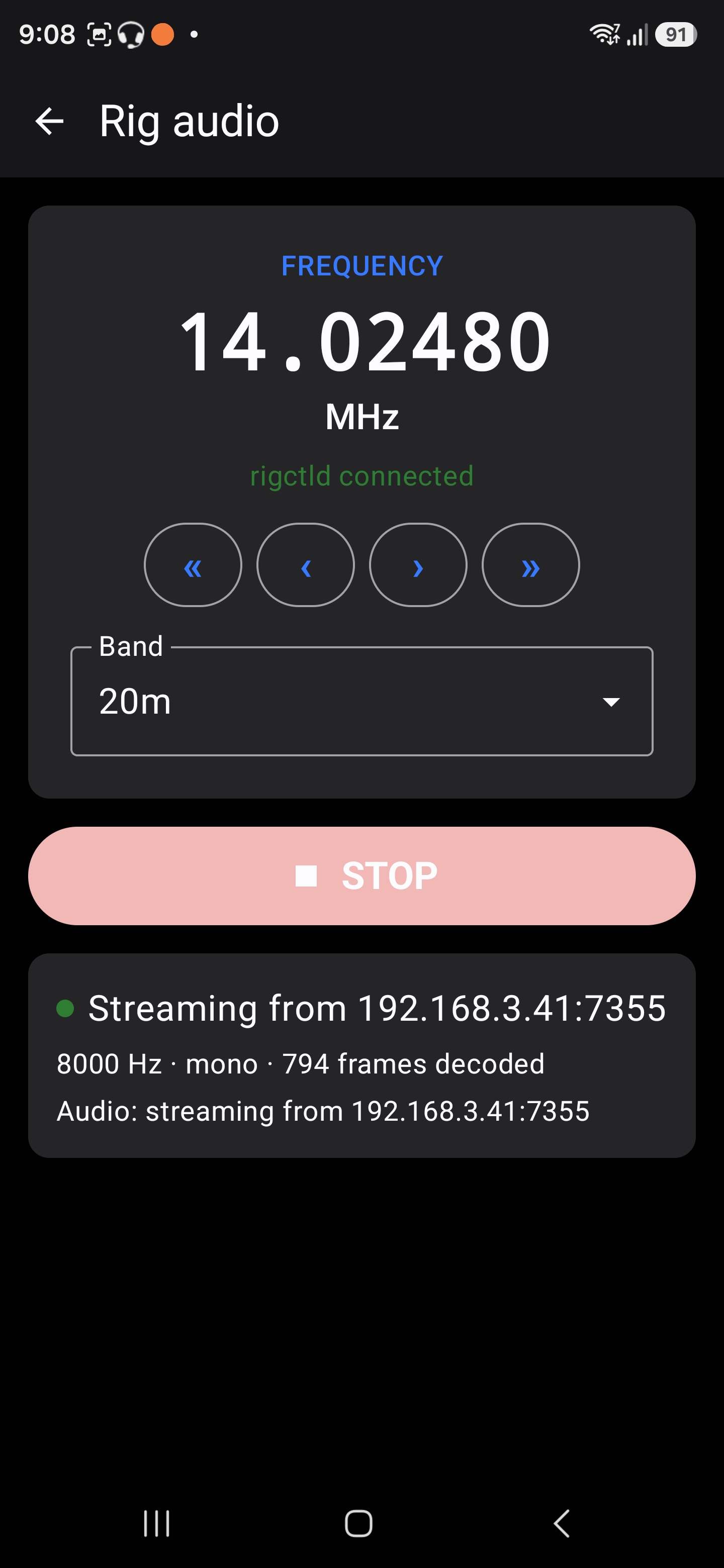
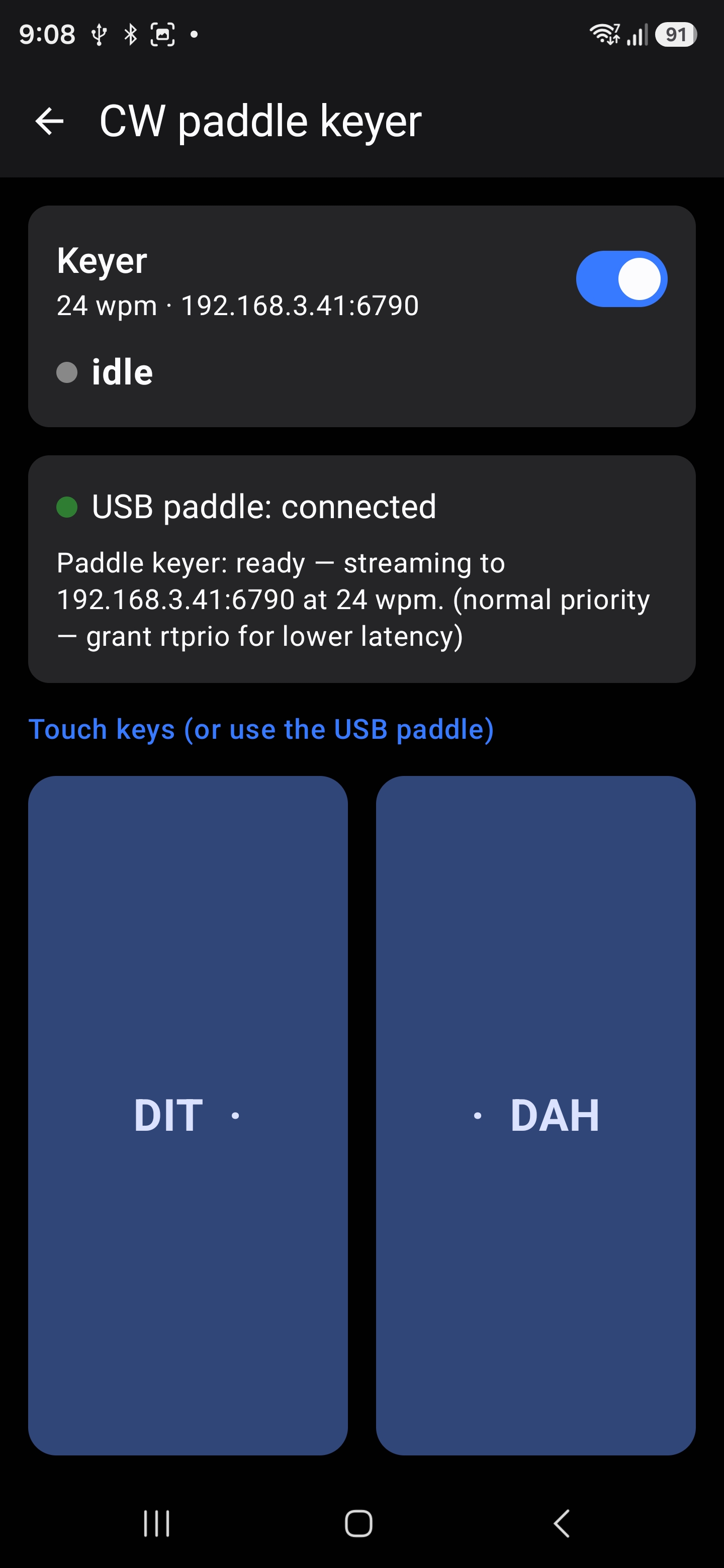
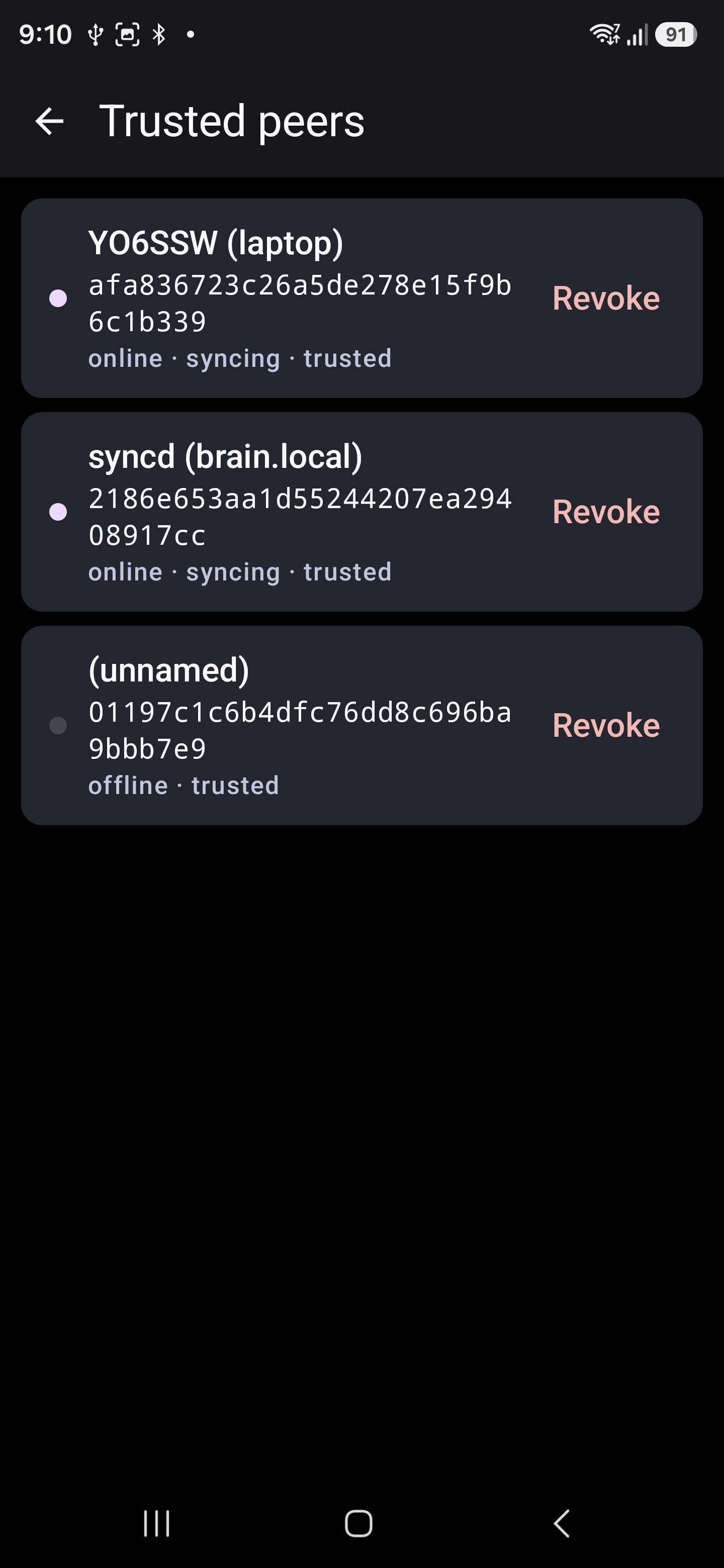
There’s a mobile frontend, too: xlog2-android, a Kotlin/Jetpack Compose app that runs the same xlog_core over JNI — so a QSO logged on the phone joins the very same mesh as everything else. Built entirely from FOSS pieces (no Google libraries), it’s on F-Droid, or you can grab the signed APK from the releases.
With a USB-OTG cable it even reads the same paddle for field CW, which is what finally made portable operating with the KX3 or QMX+ pleasant.
usb-paddles
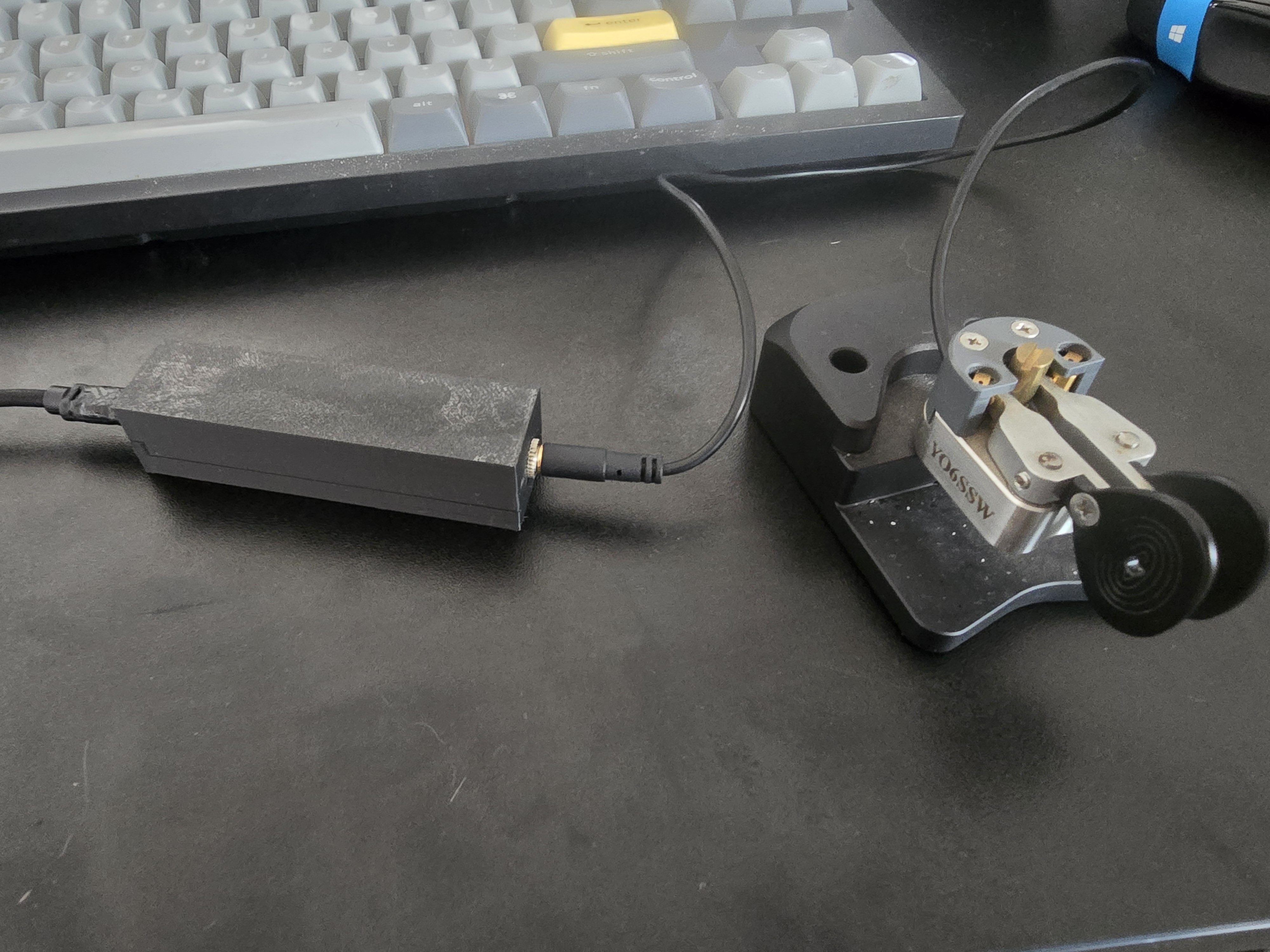
usb-paddles is firmware, not something you install on the PC — it runs on an STM32F411 board (typically Black Pill but I chose a Romanian Magma Splash for different reasons) and turns two paddle contacts into a vendor-defined (raw) USB HID device.
Because it lives on a vendor usage page instead of pretending to be a keyboard, no OS input subsystem interprets it: it never types into the focused window, and only software that knows the report format reads it. It has sub-millisecond latency by design.
INSTALL
It’s a PlatformIO project which you can build and flash over an ST-Link/V2 on SWD, no USB bootloader needed:
git clone https://github.com/yo6ssw/usb-paddles.git
cd usb-paddles
pio run                 # build
pio run -t upload       # flash via ST-Link (SWDIO=PA13, SWCLK=PA14, GND, 3V3)
After flashing, unplug/replug the board so the host re-enumerates it. Wire each paddle contact straight to GND — PA0 for dit, PA1 for dash.
The
masterbranch is this STM32F411 + TinyUSB build; an olderraw-hidbranch targets the STM32F103 Blue Pill which I abandoned due to its microusb connector type. The on-wire identity and report are identical across both, so xlog2 reads either — only pickraw-hidif that’s the board you have.
CONFIGURE
There’s nothing to set on the device itself, the host decides what dit and dash mean. On the PC you only need read access to the raw-HID node, which is root-only by default, so install the shipped udev rule once so xlog2 (running as your user) can open it:
sudo cp udev/60-xlog2-paddle.rules /etc/udev/rules.d/
sudo udevadm control --reload-rules && sudo udevadm trigger
Replug the board and confirm it enumerated with lsusb | grep 1eaf:0024. From there, point xlog2’s paddle keyer at the device and you’re keying — locally, or streamed through cwsd’s remote_key service for the full over-the-internet chain.
Wrapping up
That’s the whole station stood up: cwsd by the radio, xlog2 (with its mobile and headless siblings) wherever you operate from, and usb-paddles for a real key. Each piece is useful on its own; together they turn one rig into a network- and internet-operable station.
Where to next? Part 1 tells the story of how these came to be, and part 3 digs into how the internet CW keying and the logbook sync mesh actually work.
The projects are all GPL-3.0, with detailed README and design-notes (CLAUDE.md) in each repo:
- cwsd — https://github.com/yo6ssw/cwsd
- xlog2 — https://github.com/yo6ssw/xlog2
- usb-paddles — https://github.com/yo6ssw/usb-paddles
- hamtools hub (docs entry point) — https://github.com/yo6ssw/hamtools
73 · YO6SSW